
One network. Independent locations. Connected operations.
Give corporate the oversight it needs, and every home-service location the tools to manage customers, teams, jobs and payments. Weekly royalties come from money actually collected.
$199/month corporate
$199/month per location
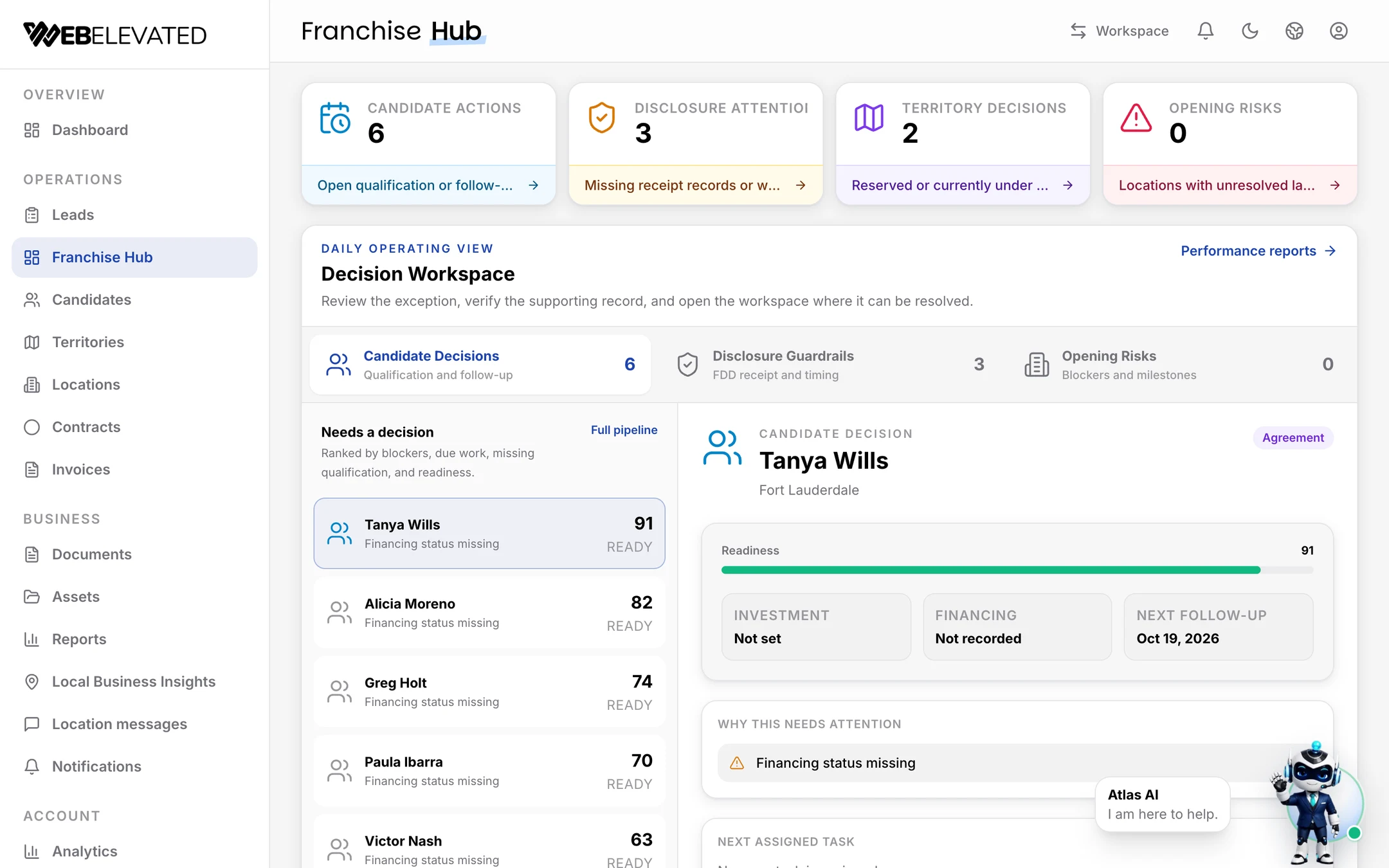
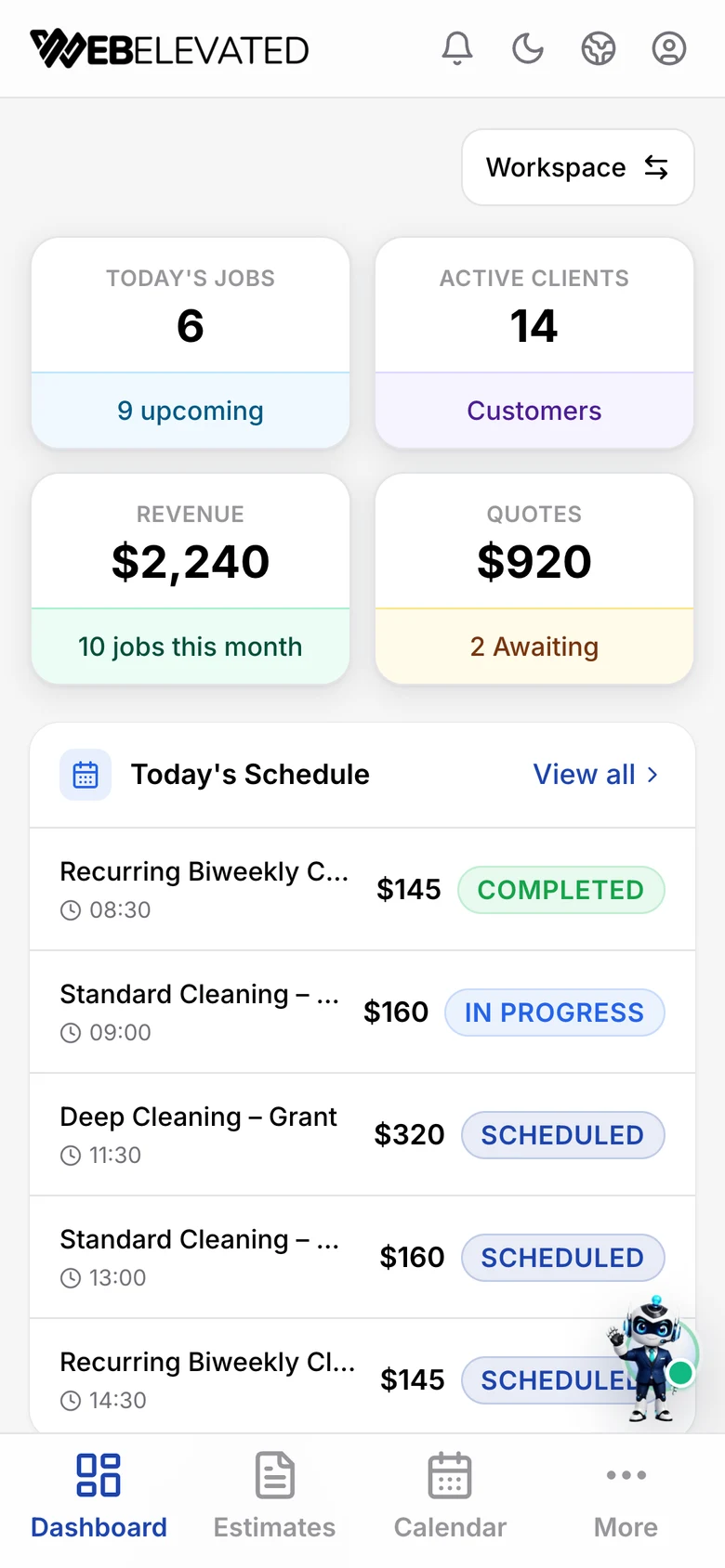
See it for yourself.
Click through a franchise head office in this guided tour, with the sound on: franchisees, locations, royalties, team access, opening plans and reports. It takes about two minutes and needs no sign-up.
Trouble viewing it? Open the tour in a new tab.
Opening a location is only the beginning.
A recruitment pipeline helps track prospective buyers. Franchising OS supports the operating network after locations open—while keeping corporate, location ownership and employee responsibilities clear.

Corporate HQ
Owns network settings and royalty rules

Location owner
Owns local operations and customer relationships

Office team
Coordinates customers, schedules and documents

Field employees
Works assigned jobs and checklists
The right view for the responsibility.
See the network without taking over local operations.
Corporate teams can add operating locations, enter an authorized location context, choose who pays for software, and control royalty timing from one franchise workspace.
- Review locations and authorized local activity
- Set effective royalty rates and weekly cadence
- Choose corporate-paid or location-paid software

Corporate: See the network without taking over local operations.
Corporate teams can add operating locations, enter an authorized location context, choose who pays for software, and control royalty timing from one franchise workspace.
- Review locations and authorized local activity
- Set effective royalty rates and weekly cadence
- Choose corporate-paid or location-paid software
Location owner: Run the business attached to the right location.
Owners manage customers, leads, estimates, appointments, invoices, contracts, forms, team access and local reports while retaining their own customer-payment account.
- Keep leads, customers and jobs location-specific
- Quote, schedule, invoice and collect locally
- Open My royalties for rates, invoices and collected-payment history
Team: Give office and field employees the workspace they need.
Separate employee logins keep coordinators focused on authorized customer and scheduling work while field employees see assigned jobs and applicable checklists—not owner finances.
- Separate logins instead of shared passwords
- Office workflows stay tied to one location
- Field work stays clear of royalty controls
Manage the network without running every location.
Add operating locations, enter an authorized local workspace, decide who pays for its software, and control royalty rates and weekly invoicing from corporate.
Payer choice
Corporate or location
Royalty timing
Effective-dated
Delivery
Review or auto-send
History
Audited adjustments


Grow the network, one owner at a time.
Track every prospective franchisee from first inquiry to signed agreement, with readiness scores, next steps and the territory they want. Keep territories, disclosure steps and launch tasks in the same workspace.
- Candidate pipeline from inquiry to won
- Territories by status: available, reserved, in review, awarded
- Launch tasks and opening risks for new locations
Run the business where the work happens.
Keep local acquisition, customer records and service work in one operating context. Each step is connected to the same location, while your team still decides when work moves forward.

Lead
Capture leads

Estimate
Quote work

Appointment
Schedule jobs

Invoice
Send invoices

Collected
Track payments

Real invoices, visible status, deliberate next steps.
Owners can create and manage invoices inside the selected location, with customer delivery and payment-link controls. Unsigned contracts can be revised through a confirmed workflow that revokes old signing access, returns a new draft, and requires an explicit resend; signed contracts stay protected.
The right workspace for each person.
Separate logins make responsibility visible. Office teams coordinate authorized customer and scheduling work. Field employees focus on assigned work and applicable checklists without inheriting owner royalty or corporate finance controls.

Base royalties on money actually collected.
Corporate defines the rate and weekly calendar. Franchising OS calculates eligible, tax-exclusive collected revenue, supports review or automatic invoice sending, and gives owners visibility into their own history. It does not automatically debit a location or guarantee collection.
Eligible collected revenue
$10,000
Tax excluded · illustrative
Example rate
5%
Defined by corporate
Illustrative royalty
$500
Calculated for the week
$2,000 still unpaid: excluded until collected.
Partial payments and refunds follow the recorded calculation rules.
Owners see their own royalties.
Each franchisee opens My royalties to see the rate, the weekly billing calendar, every royalty invoice and the collected payments behind it.

Three money lanes. No blurred ownership.
Customer revenue, corporate royalties and WebElevated software fees remain separate by design.
Lane 1
Customer
Operating location

Lane 2
Location
Corporate
Lane 3
Selected payer
WebElevated
Each business uses its own configured payment account. Payment-provider fees may apply separately.
A practical operating toolkit.

Customers & leads
Location-routed contacts, lead records and follow-up activity.
Estimates & invoices
Quote work, issue invoices and use the location’s customer-payment links.

Contracts
Email signing requests and retain completed documents where needed.
Appointments & team
Coordinate schedules, staff invitations, assigned work and checklists; preview travel when location permission is available.

Forms & landing pages
Publish lead and booking forms, local landing pages and branded imagery with location-aware routing.

Reports & email notifications
Review local activity, print or save executive reports, export CSV files and send configured email notifications; inbox delivery is not guaranteed.
Pay for the network you operate.
The corporate workspace is billed to the franchisor. For each active location, the franchisor can pay the monthly software fee and resell or include it in its charges to the franchisee, or designate the franchisee to pay WebElevated directly.
Corporate workspace
$199/mo
Per active location
$199/mo
Illustrative software total
Corporate + 3 active locations
$796/mo
Software fees are separate from corporate royalties and applicable payment-provider fees. Location-paid activation requires completed software payment.
Get startedQuestions franchisors ask.
Who pays for each location’s software?
Corporate chooses whether an active location is corporate-paid or location-paid. A location-paid workspace must complete its own software payment before activation. Each active location has its own $199 monthly software subscription in addition to the $199 monthly corporate subscription.
Does corporate collect customer payments?
No. Customers pay the operating location through that location’s configured payment account. Corporate uses its own account to receive royalty payments, while the selected software payer pays WebElevated separately for the software.
What do staff members see?
Access is based on the employee’s assigned location and role. Office staff can use authorized customer and scheduling workflows. Field employees can focus on assigned work and applicable checklists. Ordinary staff do not inherit owner royalty or corporate finance access.
How are royalties calculated?
Corporate defines the percentage and effective timing. The system calculates eligible royalties on a weekly schedule from tax-exclusive customer payments actually collected, with rules for partial payments and refunds. Corporate can review invoices before sending or configure automatic sending; this does not automatically debit a location’s bank account.
What happens to unpaid customer invoices?
They are excluded from the royalty base until payment is collected. If a customer pays only part of an invoice, only the eligible collected amount enters the calculation. Refunds follow the recorded calculation rules.
Which franchise industries are supported?
Franchising OS currently supports the Home Services franchise operating vertical, including cleaning businesses. Other franchise verticals should be evaluated with WebElevated before purchase rather than assumed to be available.
Can we use it on mobile?
Yes. Franchising OS includes a responsive web experience for phones, tablets and desktops. That web experience is separate from WebElevated’s native mobile-app work and should not be interpreted as feature parity with a native app.
Learn what actually brings in more jobs
Practical playbooks on leads, follow-up, booking and running more locations, written for owners of service businesses.

Franchise Operations Software: What Happens After a Location Opens?
Franchise operations software runs the network after a location opens. Headquarters needs oversight and reporting, each location needs its own customers, schedule and payments, and royalties should be calculated on money actually collected. Marketing brings demand, and operations software makes sure every location can handle it the same way.

How to Structure a Multi-Location Business Website
A multi-location website should give every real location its own page with its address, phone, hours, services, reviews and a link to its Google Business Profile, all under one clear URL pattern. That helps each location rank in local search and makes reporting by location simple. Skip thin pages for places you do not serve.
Guides for service businesses

Bring your franchise network together.
Set up head office, add your locations and invite each owner and team. $199 a month for corporate and $199 a month per active location.